Experience Care Without Boundaries
Life doesn't always make it easy to come into the office — but that shouldn't stop your progress.
With Telehealth, you can meet your provider face-to-face from the comfort of your home, office, or any private setting.
Our state-of-the-art systems deliver the same high-quality, personalized service you expect in person — privately, safely, and on your schedule.
Telehealth is ideal for:
- Therapy and counseling
- Psychiatric medication management
- Addiction recovery and relapse prevention
- Case management and progress reviews
- Family sessions and education
- Crisis support and safety planning
Why Clients Love Our Telehealth
- Flexible scheduling – appointments that fit your day
- No travel hassles – connect anywhere, save time and money
- HIPAA-secure technology – your privacy is fully protected
- Real human connection – live, interactive sessions with caring professionals
- Comfort and control – choose your own environment and pace
Our Approved Platforms
| Platform | Purpose | Compliance |
|---|---|---|
| ICANotes Telehealth Portal (Preferred) | Secure video visits integrated with your health record | HIPAA-compliant |
| RingCentral | Backup video and voice connection; also used for voice-only sessions | HIPAA-compliant |
| FaceTime / Google Meet | Emergency backup if other systems unavailable | Temporary use with approval |
Start or Join a Telehealth Session
🧭 If You're New to Us
Telehealth is the fastest way to begin care — no waiting room, no commute.
Click below to schedule your first appointment and we'll send your secure link once you're registered.
👉 Start Telehealth as a New Client
💻 If You're Already a Client
Join your provider right now through our secure ICANotes portal.
👉 Join Existing Client Session → ICANotes Portal
Or access it from our websites:
- Visit FreedomHealthcare.biz or DruidHillCare.com
- Hover over "Services"
- Click "Telehealth"
- Choose "Join Existing Client Session"
How Telehealth Works
Setup – Getting Ready
You'll need:
- A smartphone, tablet, or computer with a camera and microphone
- Reliable Wi-Fi or mobile data connection
- An updated browser (Chrome, Firefox, Safari)
- A comfortable, private space with good lighting
Before your appointment:
- Join 5–10 minutes early to test your camera/mic
- Keep your device plugged in or fully charged
- Close other programs to improve quality
- Have your medications or notes nearby
- Relax — your provider will guide you the rest of the way
Use – During Your Session
- Your provider will greet you once you're admitted from the virtual waiting room
- Speak naturally; it's just like sitting in the same room
- Keep your camera on so your provider can observe cues
- Use the chat feature if audio momentarily drops
- Stay present — avoid multitasking, eating, or driving during sessions
- If disconnected, re-click your link. If not reconnected in 5 minutes, expect a secure callback via RingCentral
Maintenance – Keeping Things Running Smoothly
- Update your device software and browser regularly
- Restart your device before longer sessions
- Test audio/video each time you log in
- Use a surge protector or stable power connection
If problems occur:
| Issue | Try This |
|---|---|
| No sound/video | Allow camera & mic access in your browser |
| Lag/freeze | Move closer to router; close unused apps |
| Echo | Use headphones; mute duplicates |
| Dropped session | Rejoin; if not successful, wait for provider call |
Need more help?
- ICANotes Support: 443-569-8778 | icanotes.com/support
- RingCentral Support: 888-898-4591 | support.ringcentral.com
- Freedom Health Systems Office: (667) 239-9572
Safety – Your Well-Being Comes First
Every Telehealth session starts with a brief safety check. Your provider will:
- Confirm your identity, location, and emergency contact
- Ensure your environment is private and secure
- Review your personal safety plan if applicable
- Establish a safe-word to discreetly pause or end the session
If a crisis occurs:
- Call 911 or 988 (Suicide & Crisis Lifeline) immediately
- If disconnected during an emergency, your provider will call you or your emergency contact and may alert emergency services if needed
Safety reminders:
- Never join a session while driving
- Choose a well-lit, clutter-free area
- Keep others — including pets — out of the room
Your provider is trained to respond calmly and quickly to any safety concern.
Communication & Response Times
We're here whenever you need help connecting, rescheduling, or asking a question.
Contact Information:
- Freedom Health Systems Main Line: (667) 239-9572
- Email: info@freedomhs.org
- Websites: FreedomHealthcare.biz and DruidHillCare.com
Response time expectations:
- Routine inquiries: within 1 business day
- Technical issues: same business day
- After-hours/weekend calls: next business day (unless urgent)
Preparing for Your ICANotes Telehealth Appointment
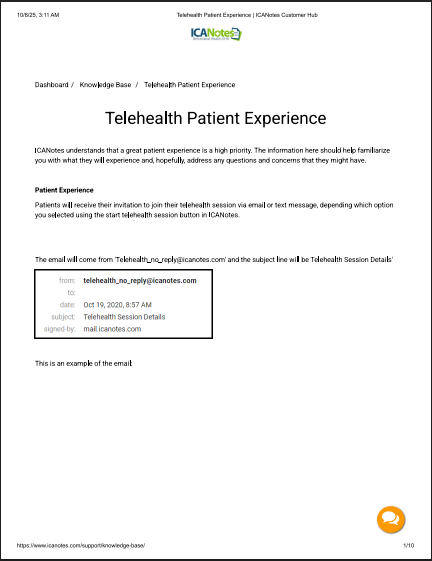
Your guide to a successful telehealth appointment is here. This document explains how you will receive your session link via email or text and outlines the compatible devices and browsers needed to connect with your provider.
It covers important steps like allowing access to your camera and microphone and provides detailed instructions for Android users on how to install and set up the recommended Chrome browser.
For a seamless experience, click here to download the guide.
Ready to Begin?
New to our programs?
Already established?
Join Your Telehealth Session Now